> ## Documentation Index
> Fetch the complete documentation index at: https://docs.openclaw.kr/llms.txt
> Use this file to discover all available pages before exploring further.
# OpenClaw
# OpenClaw 🦞


> *"EXFOLIATE! EXFOLIATE!"* — 아마도 우주 바닷가재가 한 말
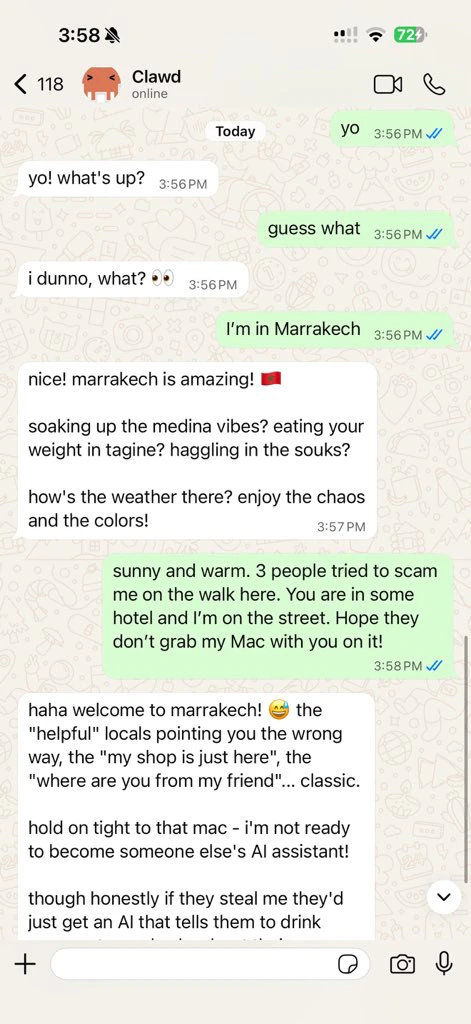
WhatsApp, Telegram, Discord, iMessage 등을 지원하는 모든 OS 용 AI 에이전트 게이트웨이.
메시지를 보내면 주머니 속에서 에이전트 응답을 받을 수 있습니다. 플러그인으로 Mattermost 등을 추가할 수 있습니다.
OpenClaw 를 설치하고 몇 분 만에 게이트웨이를 실행하세요.
`openclaw onboard` 와 페어링 플로우를 통한 안내식 설정.
채팅, 설정, 세션을 위한 브라우저 대시보드를 실행하세요.
## OpenClaw 란?
OpenClaw 는 여러분이 즐겨 사용하는 채팅 앱 — WhatsApp, Telegram, Discord, iMessage 등 — 을 Pi 와 같은 AI 코딩 에이전트에 연결하는 **셀프 호스팅 게이트웨이**입니다. 자신의 컴퓨터(또는 서버)에서 단일 게이트웨이 프로세스를 실행하면, 메시징 앱과 항상 사용 가능한 AI 어시스턴트 사이의 다리 역할을 합니다.
**누구를 위한 것인가요?** 데이터 통제권을 포기하거나 호스팅 서비스에 의존하지 않으면서, 어디서든 메시지를 보낼 수 있는 개인 AI 어시스턴트를 원하는 개발자와 파워 유저를 위한 것입니다.
**무엇이 다른가요?**
* **셀프 호스팅**: 여러분의 하드웨어에서 실행하며, 여러분의 규칙을 따릅니다
* **멀티 채널**: 하나의 게이트웨이로 WhatsApp, Telegram, Discord 등을 동시에 서비스합니다
* **에이전트 네이티브**: 도구 사용, 세션, 메모리, 멀티 에이전트 라우팅을 갖춘 코딩 에이전트를 위해 설계되었습니다
* **오픈 소스**: MIT 라이선스, 커뮤니티 주도
**무엇이 필요한가요?** Node 24(권장), 또는 호환성을 위한 Node 22 LTS(`22.16+`), 선택한 프로바이더의 API 키, 그리고 5분입니다.
## 작동 방식
```mermaid theme={"theme":{"light":"min-light","dark":"min-dark"}}
flowchart LR
A["Chat apps + plugins"] --> B["Gateway"]
B --> C["Pi agent"]
B --> D["CLI"]
B --> E["Web Control UI"]
B --> F["macOS app"]
B --> G["iOS and Android nodes"]
```
게이트웨이는 세션, 라우팅, 채널 연결의 단일 진실 공급원(single source of truth)입니다.
## 주요 기능
하나의 게이트웨이 프로세스로 WhatsApp, Telegram, Discord, iMessage 를 지원합니다.
확장 패키지로 Mattermost 등을 추가할 수 있습니다.
에이전트, 워크스페이스, 또는 발신자별로 격리된 세션을 제공합니다.
이미지, 오디오, 문서를 주고받을 수 있습니다.
채팅, 설정, 세션, 노드를 위한 브라우저 대시보드입니다.
Canvas, 카메라, 음성 워크플로를 위해 iOS 및 Android 노드를 페어링할 수 있습니다.
## 빠른 시작
```bash theme={"theme":{"light":"min-light","dark":"min-dark"}}
npm install -g openclaw@latest
```
```bash theme={"theme":{"light":"min-light","dark":"min-dark"}}
openclaw onboard --install-daemon
```
```bash theme={"theme":{"light":"min-light","dark":"min-dark"}}
openclaw channels login
openclaw gateway --port 18789
```
전체 설치 및 개발 설정이 필요하신가요? [빠른 시작](/ko-KR/start/quickstart)을 참조하세요.
## 대시보드
게이트웨이가 시작된 후 브라우저 Control UI 를 열 수 있습니다.
* 로컬 기본값: [http://127.0.0.1:18789/](http://127.0.0.1:18789/)
* 원격 접근: [웹 서피스](/ko-KR/web) 및 [Tailscale](/ko-KR/gateway/tailscale)
## 설정 (선택 사항)
설정 파일은 `~/.openclaw/openclaw.json` 에 위치합니다.
* **아무것도 하지 않으면**, OpenClaw 는 번들된 Pi 바이너리를 RPC 모드로 사용하며 발신자별 세션을 적용합니다.
* 접근을 제한하려면, `channels.whatsapp.allowFrom` 과 (그룹의 경우) 멘션 규칙부터 시작하세요.
예시:
```json5 theme={"theme":{"light":"min-light","dark":"min-dark"}}
{
channels: {
whatsapp: {
allowFrom: ["+15555550123"],
groups: { "*": { requireMention: true } },
},
},
messages: { groupChat: { mentionPatterns: ["@openclaw"] } },
}
```
## 여기서 시작하세요
사용 사례별로 정리된 모든 문서와 가이드.
핵심 게이트웨이 설정, 토큰, 프로바이더 구성.
SSH 및 tailnet 접근 패턴.
WhatsApp, Telegram, Discord 등의 채널별 설정.
페어링, Canvas, 카메라를 지원하는 iOS 및 Android 노드.
일반적인 수정 사항 및 문제 해결 안내.
## 더 알아보기
채널, 라우팅, 미디어 기능의 전체 목록.
워크스페이스 격리 및 에이전트별 세션.
토큰, 허용 목록, 안전 제어.
게이트웨이 진단 및 일반적인 오류.
프로젝트 기원, 기여자, 라이선스.